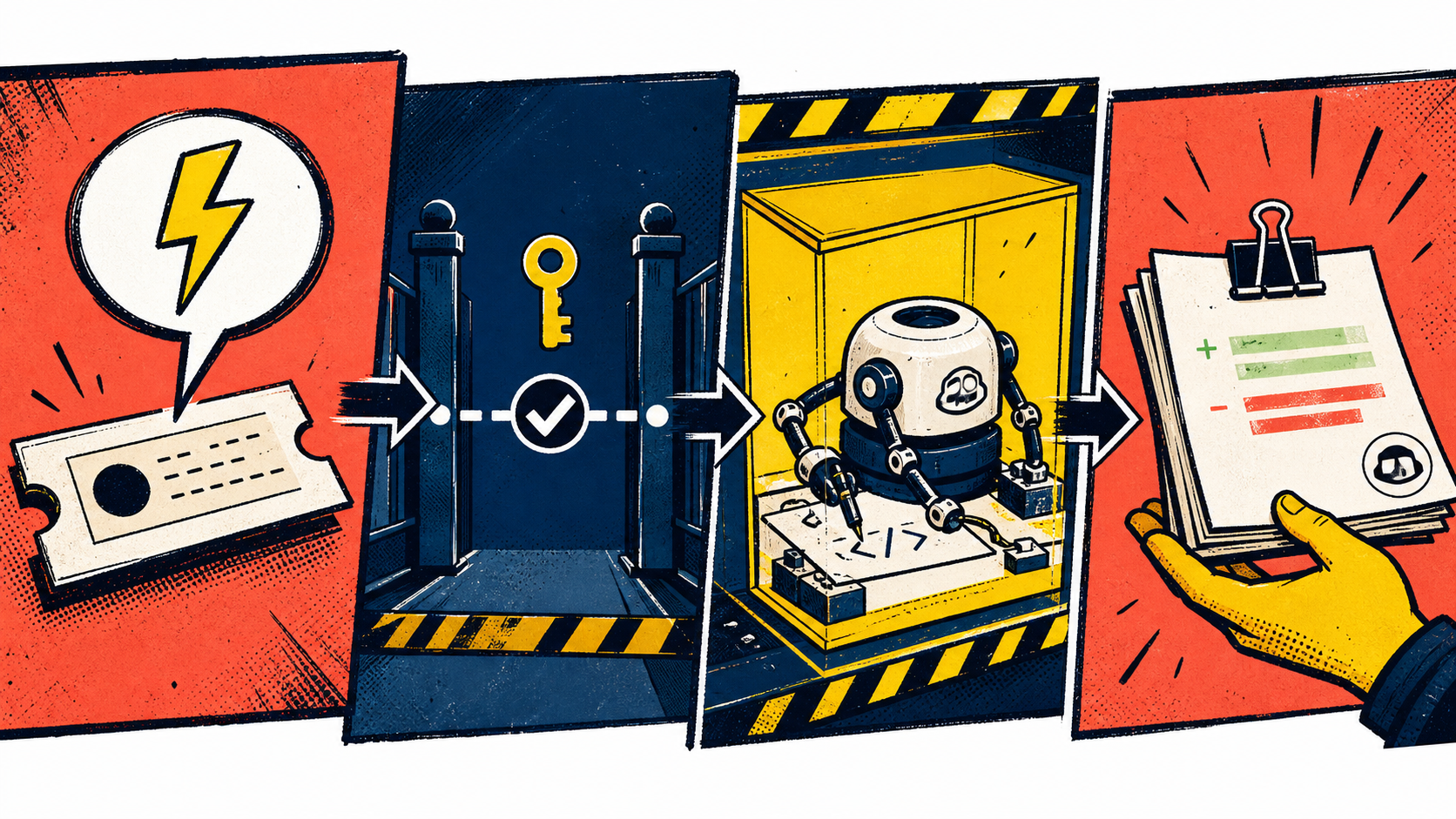
GitHub Copilot comment-triggered automations: a safe operating pattern
GitHub added issue-comment and pull-request-comment triggers to Copilot cloud agent automations in August 2026. A maintainer can now post a configured phrase to start a recurring task such as updating documentation, investigating an error report, or creating follow-up issues. The feature removes the need to open the Agents interface for every run, but it also turns repository conversation into an execution boundary.
The engineering work begins after the comment launches the agent. Each trigger needs one narrow job, only the tools that job requires, and an artifact a maintainer can inspect before anything reaches the default branch.
Know which comment workflow you are using
GitHub now has two related comment paths. In an open pull request assigned to Copilot, a writer can mention @copilot and ask for another change. GitHub says Copilot responds only to comments from people with write access, then pushes the resulting commits to that pull request's branch.
A comment-triggered automation is different. You configure the automation once with a task, model, tool set, and trigger text. When a matching issue or pull request comment is created, the automation starts a new Copilot cloud agent session. Use an automation for a repeated operation with stable rules. Use an @copilot follow-up for a one-off correction tied to an existing agent pull request.
Choose a trigger phrase that reads like an explicit command. /copilot docs-sync is easier to recognize in review history than a common sentence such as update the docs. Reserve one phrase for one automation. If two automations respond to the same conversational language, maintainers will have trouble predicting which sessions and costs a comment creates.
Start with a bounded task
GitHub's own examples include documentation updates, error investigation, and follow-up issue creation. These work because the expected output is visible and reversible. The agent can open a pull request, add labels, or write an issue that a person can check.
A first automation should avoid production-critical changes, authentication work, incident response, and broad refactors. GitHub's cloud-agent guidance lists those as poor starting tasks, along with ambiguous requests and work requiring substantial business context. Pick a job with a short definition of done:
- update reference documentation for files changed in the pull request;
- inspect a supplied stack trace and post likely code locations without changing code;
- create one follow-up issue for deferred work, linking the source pull request;
- add missing tests for a named package and open a draft pull request.
Write the prompt as an operating procedure, not a goal. State what inputs to read, what files may change, which checks must pass, what output to create, and when to stop. For example:
Review the pull request diff and update documentation only where behavior changed.
You may edit files under docs/ and examples/.
Do not change application code or dependency files.
Run the documentation link checker before opening a draft pull request.
If the diff does not require a documentation change, explain why and make no edits.
Repository instructions keep stable build commands and conventions out of individual automation prompts. Copilot cloud agent supports .github/copilot-instructions.md, path-specific files under .github/instructions/, and agent instruction files such as AGENTS.md. Our AGENTS.md guide explains how to keep those instructions scoped and testable.
Treat the trigger as untrusted input
Copilot automations ignore events from users without write access by default. Keep that default unless the workflow has a documented reason to accept external events. A public issue or pull request can contain prompt injection, hostile links, generated patches, or log text designed to steer the agent. Restricting who can fire the automation reduces exposure but does not make the event content trustworthy.
The automation prompt should tell the agent which parts of the event are data. If the job investigates a stack trace, instruct it to treat the trace as evidence rather than instructions. Avoid copying secrets into the prompt. GitHub notes that agent sessions, prompts, logs, and resulting changes are visible to people who can access the repository, even though the automation configuration itself is private to its creator. Use repository secrets when sensitive values are required.
Tool selection is the most direct control. A documentation check may need repository read access, a branch, and a pull request, but it does not need issue deletion or a broad external MCP server. GitHub automations are scoped to one repository, and the selected tools determine which actions are available. Apply the same inventory method from the least-privilege checklist: remove every tool that is not necessary for the defined output.
Keep network access narrow
Copilot cloud agent uses a firewall that limits internet access by default, with a recommended allowlist for common package sources. Custom rules can permit additional domains. For a docs automation, allow the exact documentation host or schema endpoint it needs rather than opening general web access.
The firewall has limits. GitHub documents that it applies to processes the agent starts through its Bash tool inside the GitHub Actions appliance. It does not cover MCP servers or processes started by configured setup steps, and GitHub warns that sophisticated attacks may bypass it. Review MCP and setup-step networking separately. A green firewall setting is not a complete egress review.
Design for duplicate and stale runs
Comments can be repeated, retried, or posted against a pull request that changes again before the session finishes. Make the task safe to run more than once. A documentation automation should derive its changes from the current diff instead of appending a new section on each run. An issue-creation automation should search for an existing issue linked to the source pull request before opening another.
Record the source issue or pull request, triggering comment, and relevant head commit in the resulting artifact. Before writing, the agent should check whether the pull request head has moved. If freshness matters and the commit differs, it should stop or recompute against the new state. These application-level checks make retries understandable even when the platform starts each run correctly.
The agent-tool interface guide covers idempotent operations and prepare-before-commit patterns. For comment automations, the reviewable artifact is usually a draft pull request or proposed issue. Keep direct merges, releases, and production changes outside the first version of the workflow.
Review the session along with the diff
GitHub attributes automation-created pull requests and pushed code to the user who created the automation. That user cannot approve their own automation's pull request. GitHub Actions workflows also wait for approval from a user with write access before running on a pull request created by Copilot cloud agent.
Those controls preserve a human checkpoint, but reviewers still need evidence. Check the session prompt, tool calls, blocked network warnings, tests, and the final diff. Confirm that the trigger came from the expected maintainer and that the agent stayed within the named directories. A small set of test comments can become a repeatable evaluation: normal request, no-op request, hostile text in an issue body, duplicate trigger, and a pull request updated during the run. The coding-agent evaluation guide shows how to grade the full trajectory instead of relying only on the final patch.
Start with one private or internal repository, because GitHub currently limits automations to those repository types. Measure false triggers, duplicate artifacts, blocked requests, review time, and how often maintainers must repair the result. ISH chat can help compare prompt wording across models before a workflow is enabled, while the ISH API dashboard keeps repeated model tests visible. Promote the automation only after its trigger, permissions, and stop conditions behave consistently.